
How To Grant Riley & You the Ability to Create Ads on LinkedIn
In order for this process to work, the admin for the business page (you) must be connected to the person being added (the employee of Riley & You) in LinkedIn.
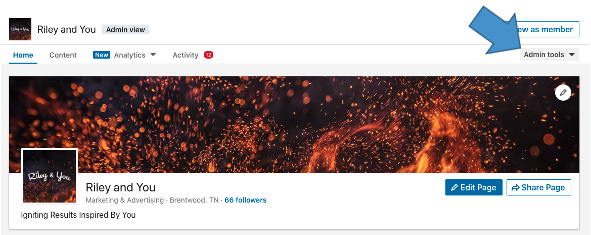
In LinkedIn, go to your page, and click Admin Tools (top right).
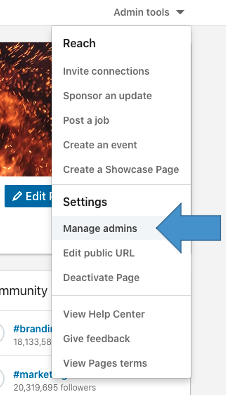
From the dropdown under Admin Tools, select Settings >> Manage Admins.
Select Sponsored Content Posters from the left menu. This access allows us to create and post ads on your page’s behalf in LinkedIn. It does not give us admin-level access to your LinkedIn account.
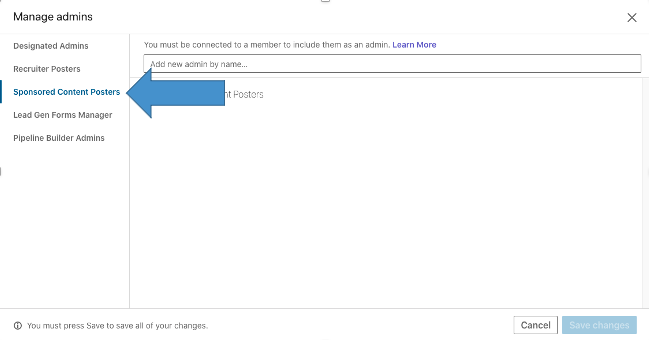
Type in the name of the person you want to add. Please add Sheridyn Williamson unless you receive other information from the Riley & You team.
As long as you are connected in LinkedIn, the name should populate as you type.
Click Save Changes to complete the process.
See more How-Tos