
How To Grant Meta Access: Alternative Process
The following steps offer an alternative method for giving Riley & You the access needed to run ads with your Facebook and Instagram accounts. Use this step if you are unable to accept the page access request through your Facebook page.
Create a Business Account if Needed
- Go to business.facebook.com/overview
- Click Create account.
- Enter a name for your business, your name and work email address and click Next.
- Enter your business details and click Submit.
Add Your Page to Your Business Account if Needed
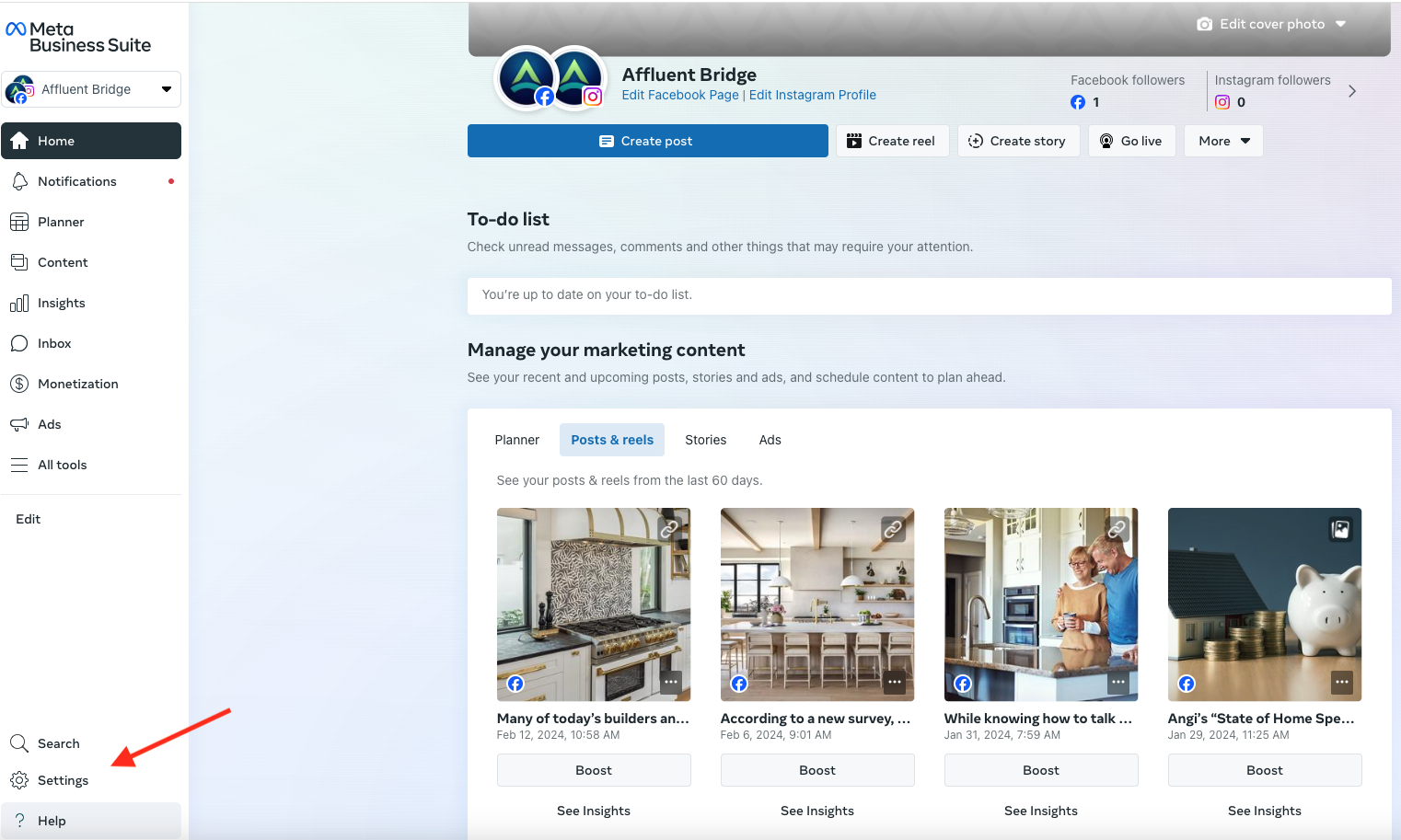
1. Go to business.facebook.com and then go to Settings on the bottom left.
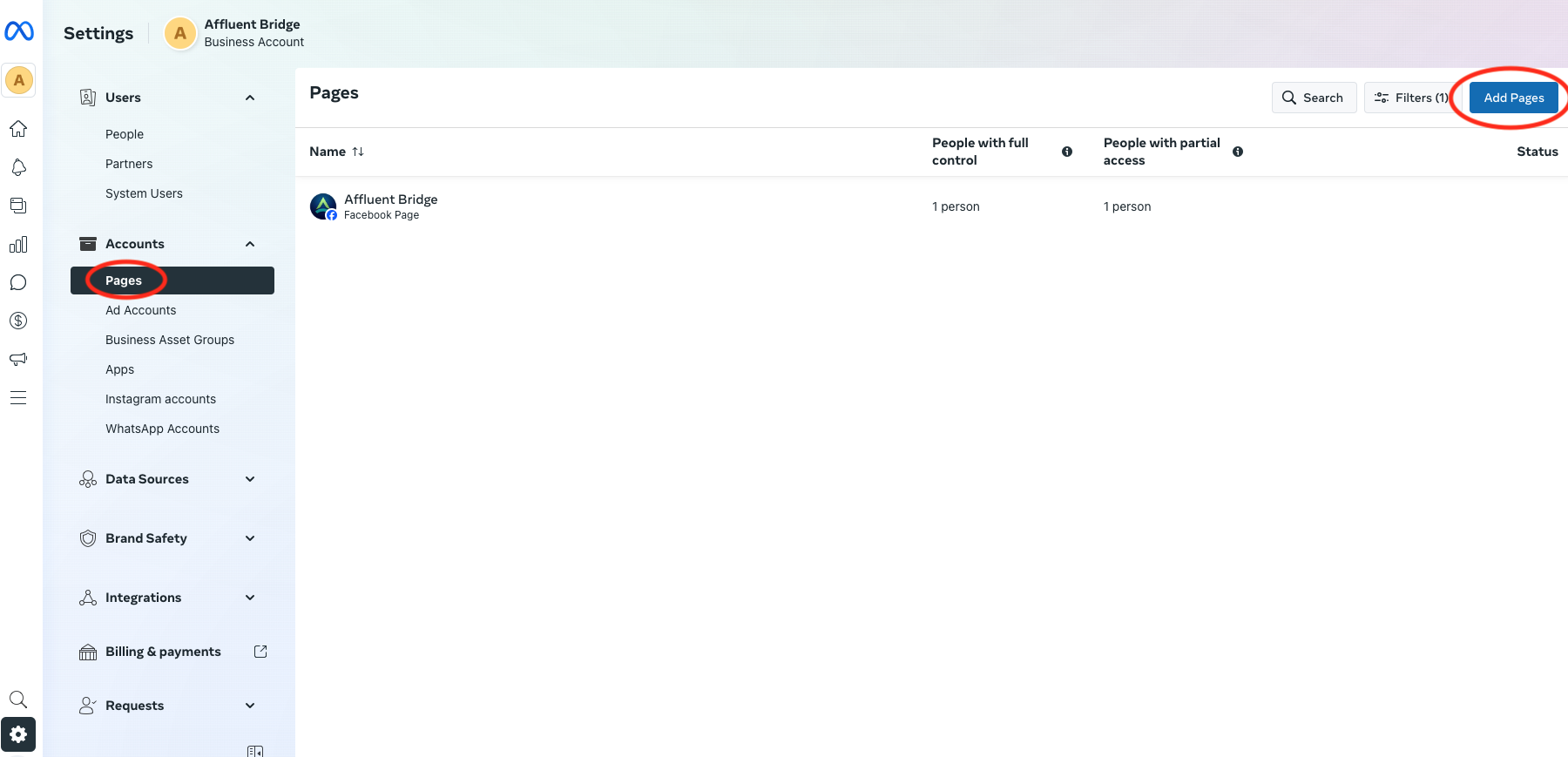
2. Select Pages from the Accounts tab on the left and then select Add Page on the top right.
3. Enter the Facebook Page name or URL.
4. Select Add Page.
Grant Partner Access
- Go to business.facebook.com
- Go to Settings on the bottom left.
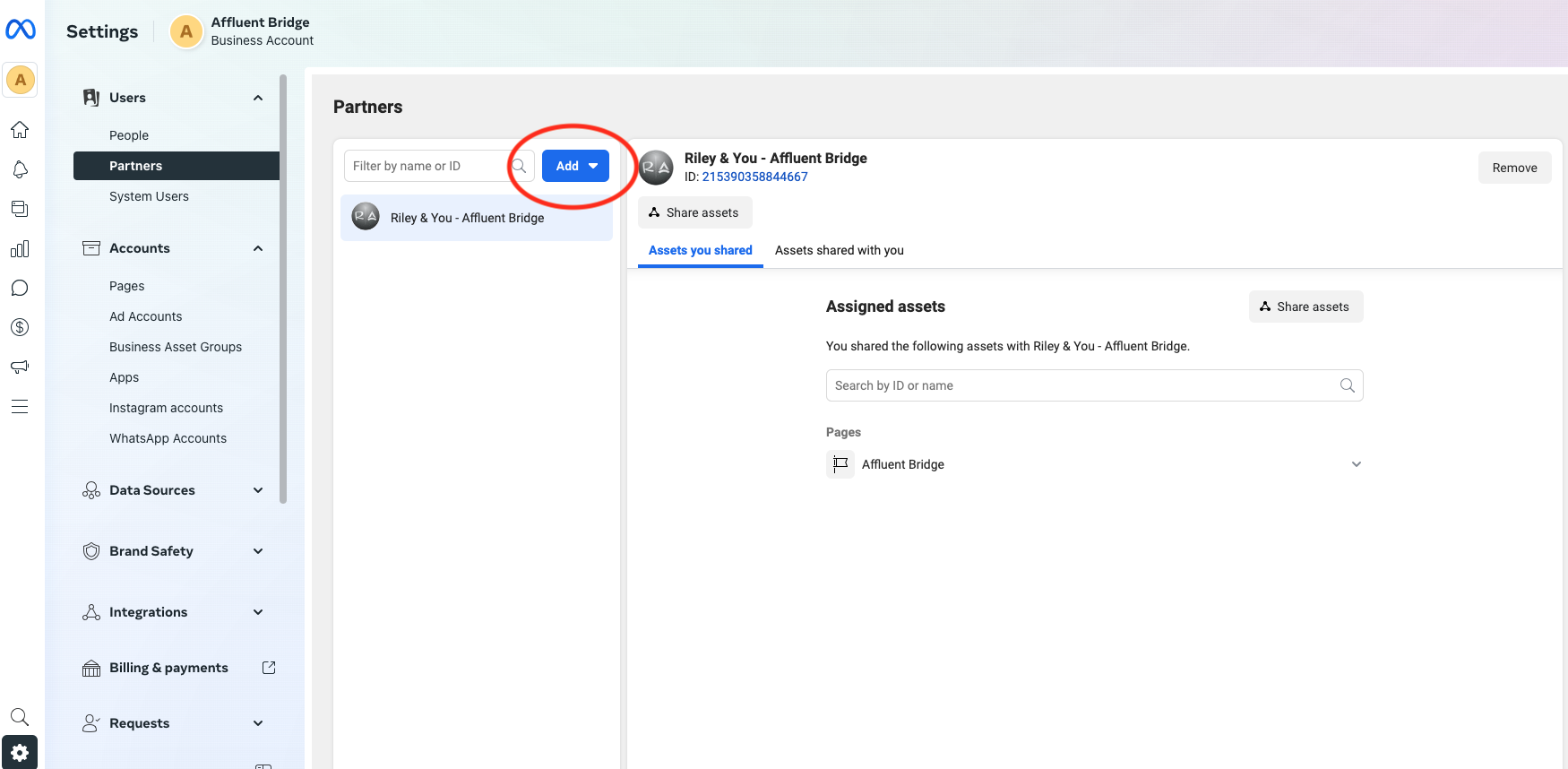
3. Below Users, click Partners.
4. Click Add. Select Give a partner access to your assets.
5. Enter the Riley & You/Affluent Bridge business ID 215390358844667 and then click Next.
6. Choose your business page(s). For each asset, choose Ads and Insights on the righthand side.
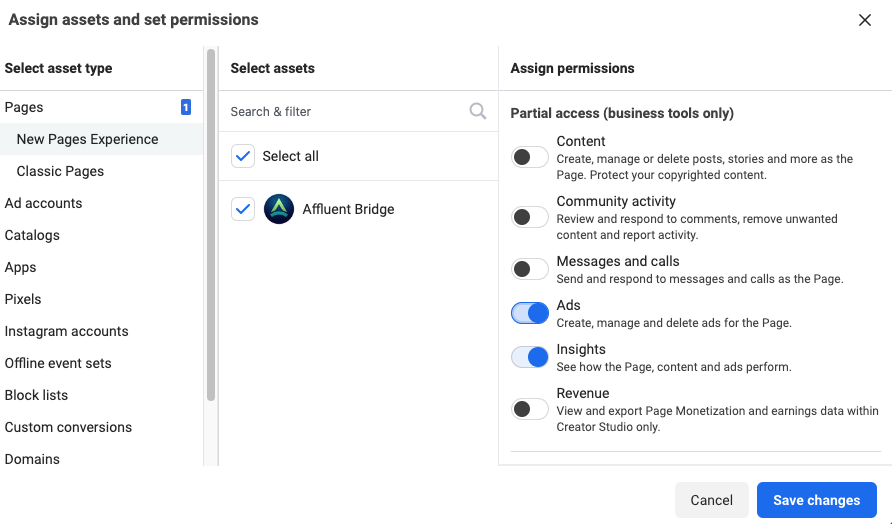
7. Click Save changes.
See more How-Tos